Org Chart Software for HR Teams in 2026: 8 Workflows Compared

Choosing org chart software starts with the job the chart must do. A maintained employee chart, a headcount plan, and a presentation diagram call for different workflows. This guide compares eight products by how you create a chart, update its data, and share the result.
This is an eight-product desk comparison, not a hands-on product test. We make HumanMap, so we include it and describe where another workflow may fit better. Updated September 25, 2026 to clarify the comparison method, evaluation framing, and commercial-interest disclosure. This update did not freshly verify every product claim; confirm current plan terms, integrations, and behavior with each vendor.
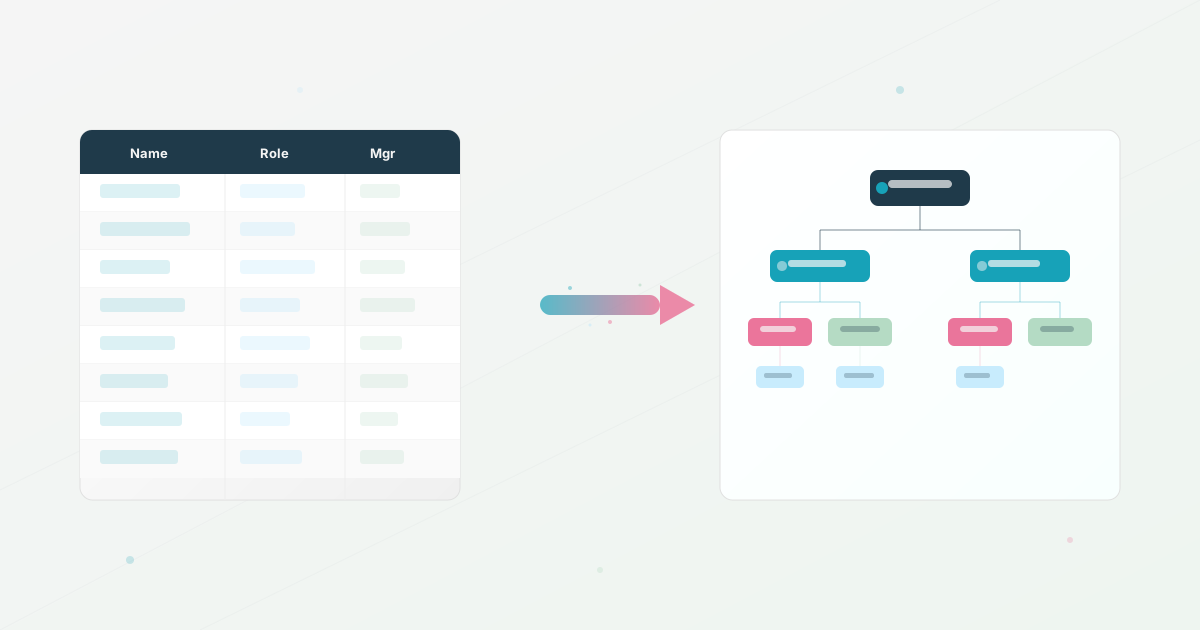
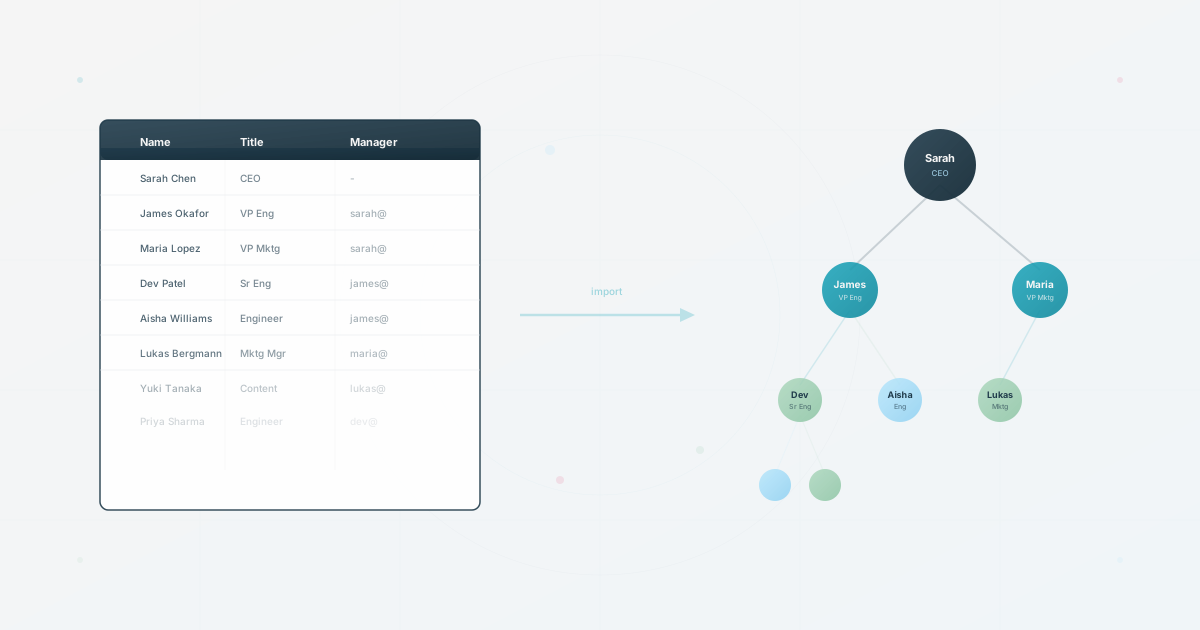
Teams building their first chart can start with our step-by-step guide to creating an organizational chart. If your data starts in a spreadsheet, use the CSV readiness checker and spreadsheet import guide before comparing ongoing workflows. For audience-specific sharing, see the multiple-views guide.
Quick recommendations
| If you need… | Evaluate… | What the vendor documents |
|---|---|---|
| A chart built from employee data with connected views | HumanMap | CSV import, connected views, and controlled sharing |
| Headcount planning and scenario work | ChartHop | Headcount-planning and scenario workflows |
| Org charts from spreadsheet data | Lucidchart | Org charts from Google Sheets, Excel, and CSV, plus filters and group views |
| An employee directory and org chart | Workleap Pingboard | Directory and org-chart workflows, with HRIS or Excel import options |
| Org charts with a directory | Organimi | Directory and custom-field features; listed integrations are available through Premium |
| Excel-based diagram workflows | Microsoft Visio | A documented Excel-to-org-chart workflow for Visio for the web |
| Org-chart templates within a diagramming product | SmartDraw | Org-chart templates and data-import guidance |
| Collaborative org-chart creation | Miro | CSV import, shared editing, and auto-layout |
These are fit hypotheses from published product pages, not ranked test results. Continue for the source notes and a common workflow test you can run with your own data.
How to choose org chart software with HRIS integration
The right choice depends on whether you need native HRIS synchronization or a workflow built around a reliable export. Compare the named connector, the data fields it transfers, refresh behavior, manager-change handling, permissions, and a CSV or API fallback. Product pages do not establish how a specific connector will behave with your data, so verify the actual system and workflow in a demo or trial.
Before buying, ask each vendor to show these five parts of the workflow:
| Requirement | What to verify |
|---|---|
| Source systems | Which HRIS, ATS, directory, or identity systems can provide the employee data? |
| Refresh cadence | Is the chart updated continuously, on a schedule, or only after a manual import? |
| Change handling | What happens when someone joins, leaves, changes manager, or moves departments? |
| Permissions | Can HR, managers, employees, and external audiences see different information? |
| Fallback | Can you export or import a clean CSV if the integration fails or your source system changes? |
In this shortlist, products describe different data workflows. If your current data lives in a spreadsheet or HRIS export, start with the spreadsheet import workflow and use the same five checks before choosing a native connection.
How this shortlist was built
This article was updated on September 25, 2026 to clarify its method and disclosures. It is based on the vendor-published materials linked below and is not a fresh verification of every listed capability. Product behavior, integrations, and plan terms can change, so confirm current details with each vendor before choosing.
This is a desk comparison based on vendor-published materials and a consistent workflow framework, not hands-on testing of every product. Treat each capability as a shortlist hypothesis to verify in a current plan, trial, or vendor demo.
The shortlist compares the workflow around the chart from setup through ongoing maintenance:
- Setup friction: How quickly can a team create a useful first version from data it already has?
- Data freshness: What happens when someone joins, leaves, changes role, or changes manager?
- Employee context: Can people find more than a name and a title?
- Views and privacy: Can the same underlying data serve employees, managers, leadership, and external audiences?
- Diagram flexibility: Is the tool useful for other visual work, or is it intentionally focused on people data?
- Ownership: Who maintains the source data, updates the chart, and reviews access?
Treat the table as a buying shortlist, then verify the current plan limits, integrations, security documentation, and contract terms with each vendor before signing.
Org chart software comparison: 8 tools at a glance
| Tool | Published workflow to compare | Question to verify |
|---|---|---|
| HumanMap | CSV import, connected views, and controlled sharing | Can one dataset provide the views and access rules you need? |
| ChartHop | Headcount-planning and scenario workflows | Which planning features and approvals are included in the plan you are evaluating? |
| Lucidchart | Org charts from Google Sheets, Excel, or CSV, with filters and group views | How are data changes reflected in the chart you share, and which plan supports that update path? |
| Workleap Pingboard | Employee directory, org chart, and HRIS or Excel import options | Does the current connector support your HRIS, fields, and refresh needs? |
| Organimi | Searchable directory and custom fields; listed integrations through Premium | Which connector and field-visibility settings are included in the plan? |
| Microsoft Visio | Excel-to-org-chart workflow in Visio for the web | Who updates and republishes the chart when source data changes? |
| SmartDraw | Org-chart templates and data-import workflows | Which source format and update process fit your team? |
| Miro | CSV import, shared editing, and auto-layout for org charts | Who owns board access and recurring updates? |
Editorial fit by job
- People-data workflow: compare HumanMap and Workleap Pingboard against the directory, view, and update requirements of your employees.
- Headcount scenarios: evaluate ChartHop against the planning workflow and plan details you need.
- Org charts as diagrams: compare Lucidchart, Visio, and SmartDraw using the same source data and update task.
- Directory and connected data: evaluate Organimi with the exact connector and field-visibility setup you need.
- Collaborative design: evaluate Miro with your board-access and maintenance requirements.
These are editorial fit judgments based on the workflows vendors describe, not hands-on test results.
Want to test the people-data workflow? Start with the spreadsheet import workflow and see how long it takes to get a usable chart.
Vendor-reported workflows and buyer-fit notes
1. HumanMap: a people-data workflow for connected org-chart views
HumanMap describes a workflow that starts with employee data and supports connected org-chart views with controlled sharing. The product page describes importing data and using different views for different audiences.
For an import-first process, follow the spreadsheet import guide and test a manager change, a new employee, and a restricted view with your own sample data. Confirm the fields and sharing behavior available in the plan you evaluate.
Evaluate HumanMap if: you want to test an employee-data workflow with connected org-chart views and controlled sharing.
2. ChartHop: headcount planning and scenarios
ChartHop’s headcount-planning materials describe organizational planning and scenario workflows. If the question is “what happens after these teams are combined?” rather than only “who reports to whom?”, check the current product and plan against the planning steps, data inputs, and approvals your team needs.
Evaluate ChartHop if: headcount planning and org-design scenarios are part of the job the software must support.
3. Lucidchart: org charts alongside other diagrams
Lucidchart’s intelligent diagramming page describes org-chart workflows using Google Sheets, Excel, and CSV, alongside other diagram types. Its help center also documents filters and group views. If you are comparing it with a people-data product, test how your source changes move through the workflow, which update path your plan supports, and what the shared result lets employees do. Our HumanMap vs. Lucidchart comparison looks at the two workflows.
Evaluate Lucidchart if: your team wants org charts within a broader diagramming workflow.
4. Workleap Pingboard: a directory-led org-chart workflow
Pingboard is now part of Workleap. The Workleap Pingboard page describes an employee directory and org chart, with HRIS or Excel import options. Check that your specific HRIS, data fields, refresh needs, and sharing workflow match the current product.
Evaluate Workleap Pingboard if: employee directory use is central and its current import and access behavior fits your process.
5. Organimi: org charts, directories, and connected data
Organimi’s feature page describes its directory, and its custom-field page describes public and private field visibility. Test the current search behavior with the fields your employees need.
For maintenance, its FAQ lists Google Sheets, BambooHR and other integrations through Organimi Connect on Premium plans. Compare that plan with a manual or CSV workflow, then test the connector, fields and sharing rules your team needs. These published capabilities do not establish how well a particular employee-search or permission scenario will work for you.
Evaluate Organimi if: you need an org chart and directory, with connected data through a connector listed for the plan you are considering.
6. Microsoft Visio: Excel-to-org-chart workflow
Microsoft’s Excel-to-org-chart guidance documents creating a Visio org chart from Excel data. Before choosing it for an ongoing HR workflow, test what the chart owner must do after source data changes and how employees will find the published version.
Evaluate Visio if: your workflow starts with Excel and the intended output is a diagram.
7. SmartDraw: org-chart templates in a diagramming product
SmartDraw’s org-chart page describes organizational-chart templates and data-import workflows. Test the exact source format, update steps, and sharing outcome your team needs.
Evaluate SmartDraw if: templates and org charts within a broader diagramming product fit your workflow.
8. Miro: collaborative org-chart creation
Miro’s org-chart maker page describes CSV import, shared editing, integrations, and auto-layout within its collaborative board workflow. If you need the chart to act as a maintained employee directory, test board access, update ownership, and the employee tasks your workflow must support.
Evaluate Miro if: people need to create and edit the chart collaboratively in a visual workspace.
Compare the data-update workflow
One practical question is:
How long does it take to reflect a real organizational change?
Test the workflow with five changes:
- A new hire joins a team.
- Someone changes manager.
- A department splits into two.
- An employee leaves.
- A profile needs an update that should appear in one view but not another.
Record the steps and time needed for those changes. This reveals how the chart owner will keep the result current and whether the workflow fits the team’s normal process.
An out-of-date chart can mislead the people using it. Before choosing a tool, ask who owns the source data, how often it changes, and who checks the published chart after an update.
For teams still working from a spreadsheet, start with the CSV import workflow. For a deeper look at why static charts fail employees, read why a searchable organization matters more than another diagram.
How to choose the right tool for your team
Choose based on the job, not the feature list
Start by writing the sentence the tool must complete:
- “We need a chart for the board twice a year.”
- “We need every employee to find the right person quickly.”
- “We need to model three possible reorganizations.”
- “We need a diagramming tool for many kinds of visual work.”
Those are four different products, even though they all contain an org chart feature.
Decide who needs access
List who will create, edit, view, and share the chart. Confirm the current roles, viewer access, sharing controls, and limits for the plan you are considering.
Match the update workflow to your data maturity
If your HRIS exports a reliable CSV, compare that workflow with a native integration. If you need automatic synchronization, verify the exact connector, fields, refresh behavior, and error handling before choosing.
Decide whether you need a directory or a diagram
Use a diagramming tool when the output is a designed artifact. Use a people-centric tool when employees need to search, browse profiles, see different views, and trust the information to be current. The distinction matters more than how polished the first exported image looks.
Plan for the next reorganization
Ask every vendor to show the change workflow after the first demo. Have them demonstrate a manager change, a team split, a departure, and a restricted external view. The best org chart software is the one your team will still use after the first reorg.
Final recommendation
There is no single winner across these workflows. Start with HumanMap for connected, people-data views; ChartHop for headcount-planning scenarios; Workleap Pingboard or Organimi for directory-led requirements; Lucidchart, Visio, or SmartDraw for diagramming; and Miro for collaborative org-chart work. These are fit judgments from published product materials, not comparative test results.
Run the same five-change test with your top two options. Add a person, change a manager, split a team, remove a person, and check a second audience view. Use sample or anonymized data, and ask someone outside HR to complete the employee task the chart is meant to support. Confirm the current plan, connector, access, and sharing details directly with each vendor.
If you want to test a people-data workflow, try HumanMap free, use the CSV readiness checker, or start with our org chart scorecard.
Use this today
Turn the shortlist into a scored decision
Leave the exercise with a short list with evidence for the workflow that matters most.
- 01
Write the three jobs the tool must support: for example, answer who owns a topic, publish a leadership view, and reflect a manager change.
- 02
Use the same sample data and five changes in every shortlisted tool. Record setup time, update time, search quality, permission behavior, and who owns the work.
- 03
Score each requirement from 1 to 5 and attach one observed example to every score. Do not give points for a feature that was only shown in a demo.
- 04
Run the weakest workflow with a future user, such as a manager or new hire. Their experience should break a tie between similar products.
Pass / fail check
A defensible choice explains what happens after the first import. If you cannot name the weekly owner and the correction path, the evaluation is incomplete.
Questions readers ask most